
Modules · Free
Run purchasing in minutes, not days — free portal
Completely free
Qapera Purchasing Portal is completely free for food and restaurant purchasing departments. Run requests, quotes, approvals, and orders in one place — and analyze supplier performance from the same panel. No fee: create a membership and start now.
- Collect department purchase requests in one form
- Send RFQs to suppliers in one click
- Compare incoming quotes side by side
- Define a multi-step approval workflow
- Analyze supplier performance on price, terms, and lead time
- Place orders from approved quotes
Product view
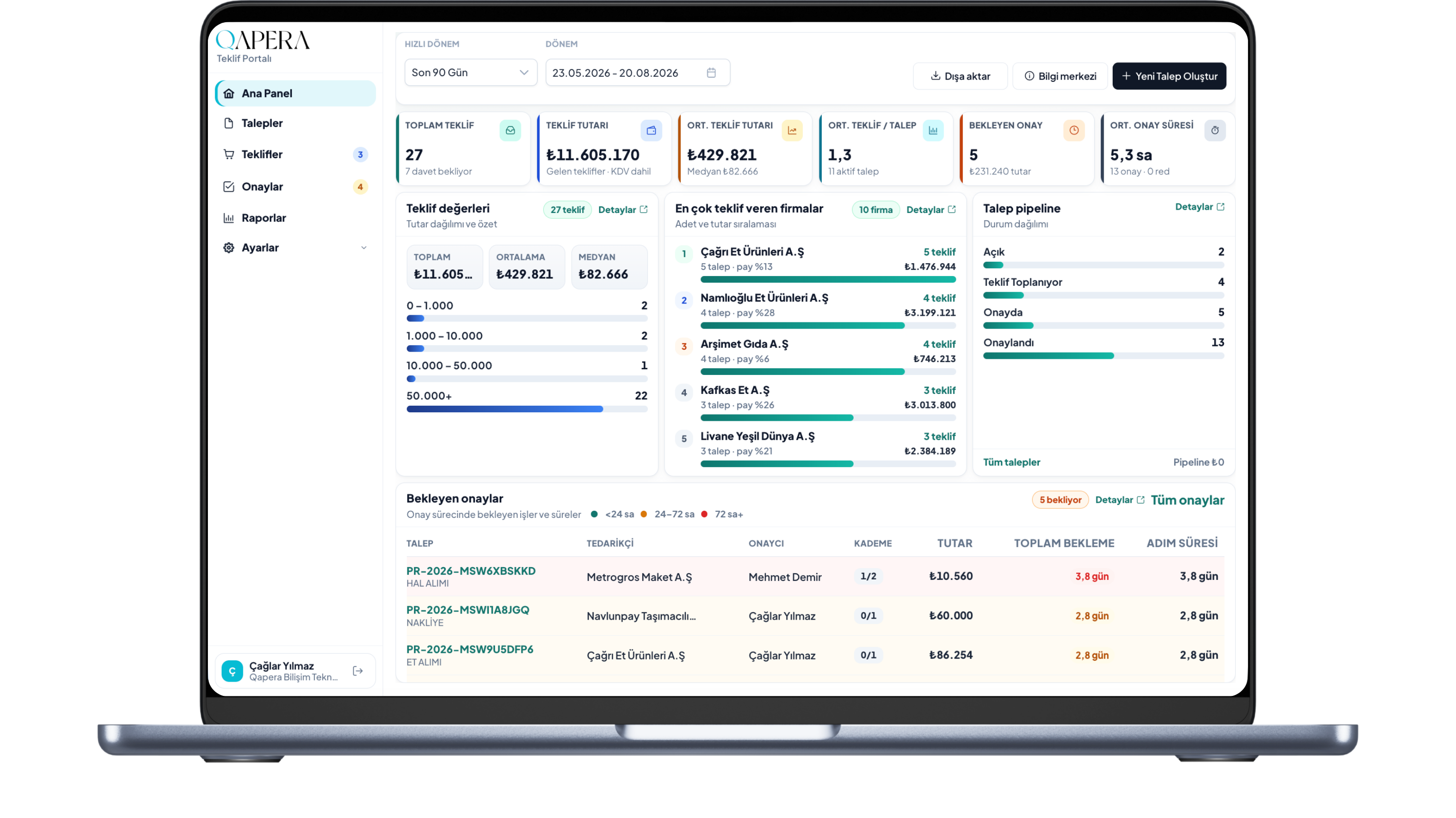
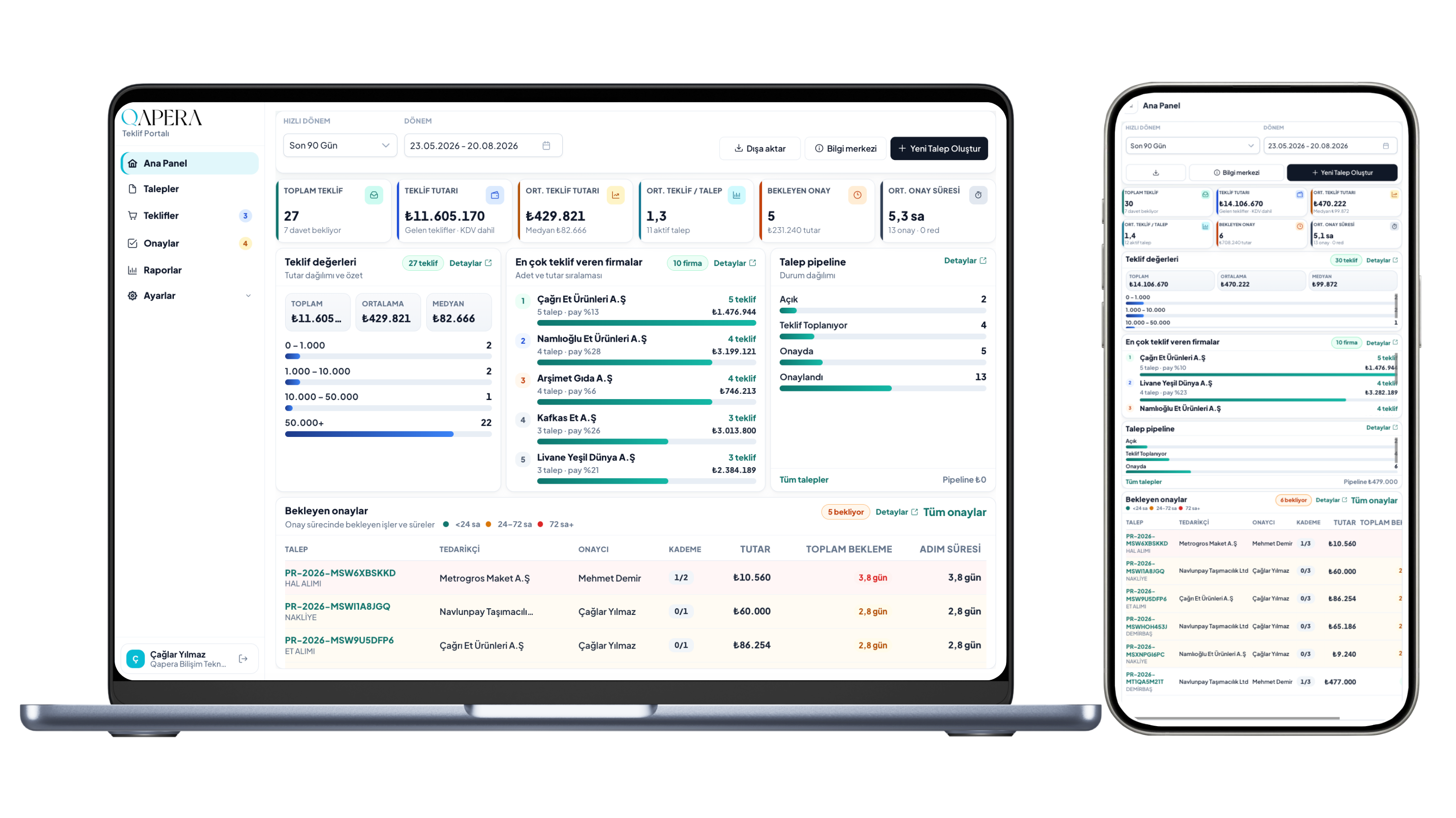
Purchasing Portal — main dashboard
Requests, quotes, approvals, and supplier performance reports on one screen. Your purchasing department decides from a live shared view.
Workflow
Run requests, quotes, approvals, and supplier performance in one portal
Manage the full chain from department request to supplier quote, approval to order in one place. Analyze supplier performance from quote history — a clear, auditable process instead of Excel and email chaos.
Collect requests
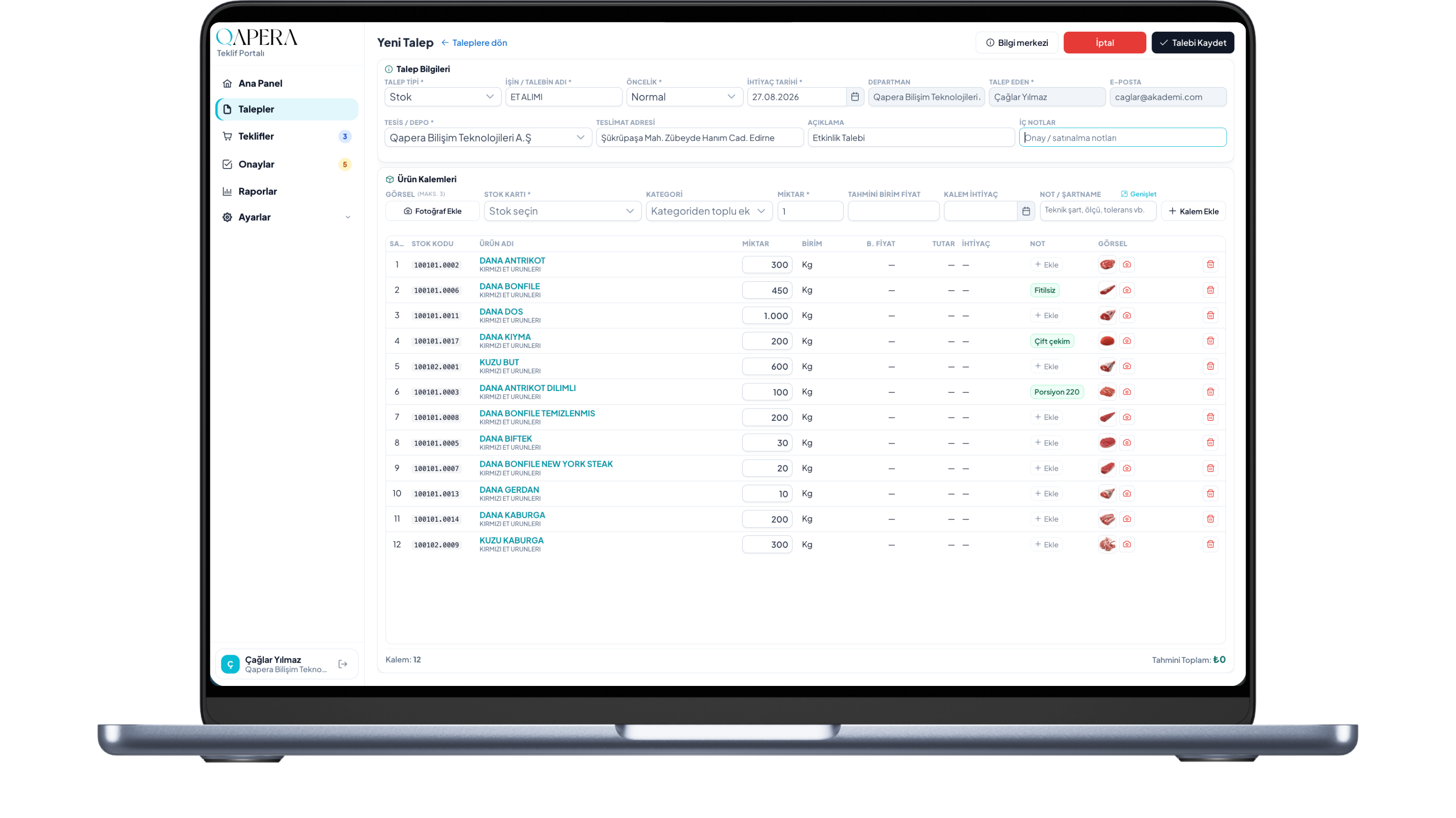
Gather needs from every department in one form
Capture kitchen, bar, or warehouse needs with line items, quantities, and due dates. Each request lives in one place — purchasing works from a clear list, not scattered messages.
Collect quotes
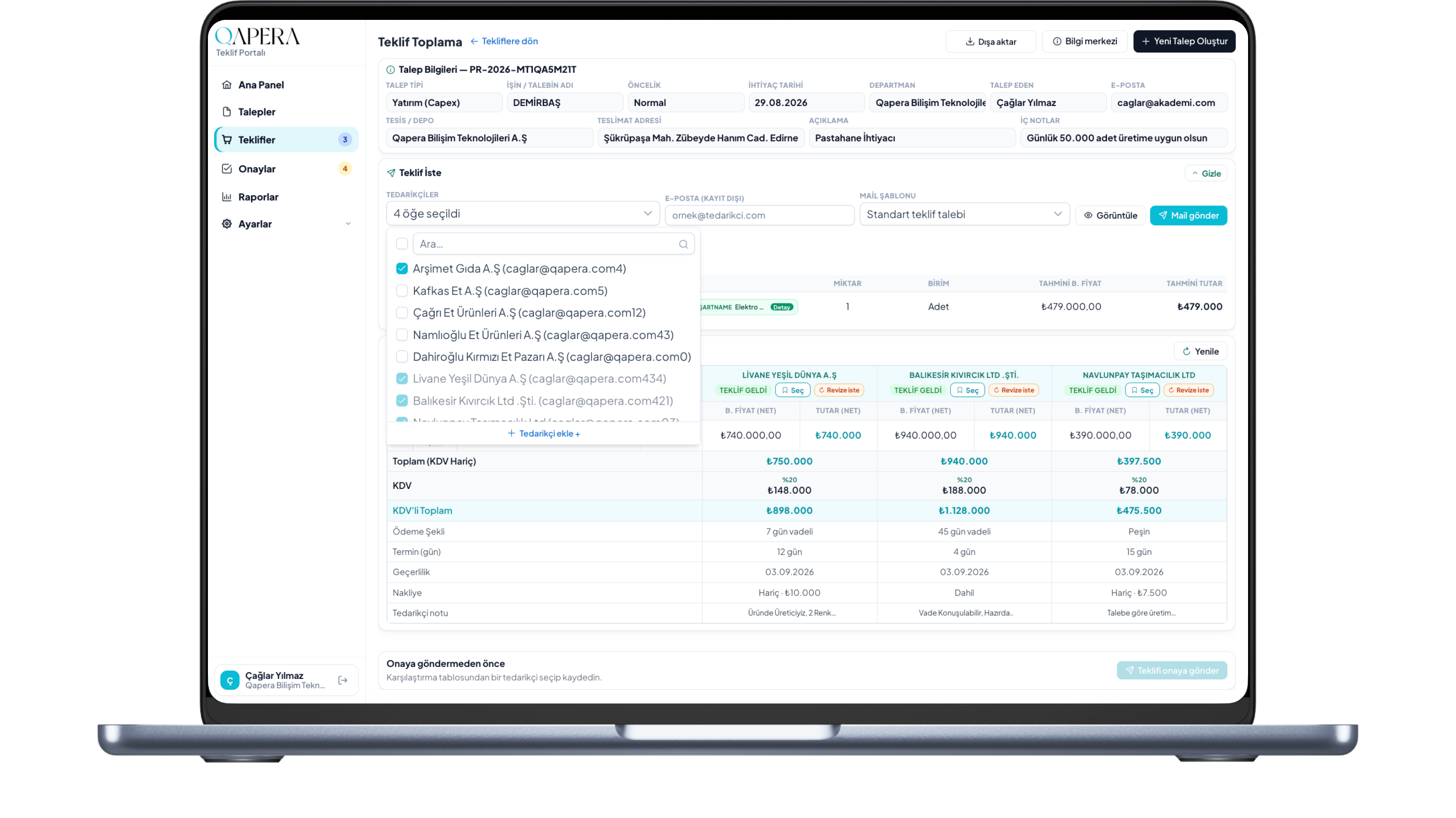
Request quotes in one click and compare them side by side
Department requests land on purchasing instantly. The team invites selected suppliers in one click; incoming quotes line up by price, payment terms, and lead time — clear comparison instead of messy inboxes.
Supplier quote
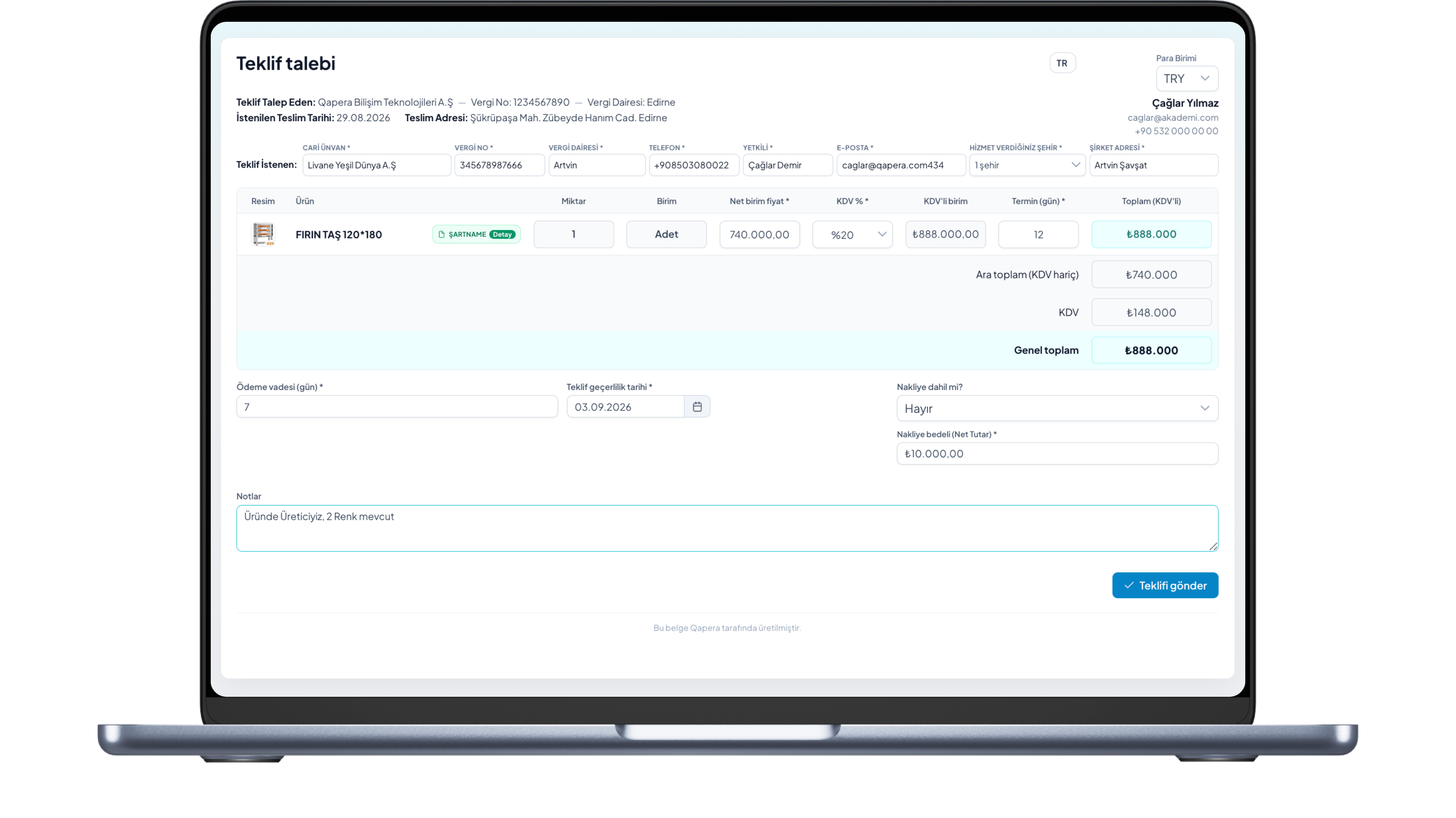
Suppliers fill price, terms, and lead time — you see it instantly
Your quote request reaches suppliers by email, quote link, or WhatsApp if you prefer. Without creating an account, they enter price plus payment terms, lead time, shipping, and notes. The moment they submit, quotes appear on your screen — no chasing calls.
Analyze & select
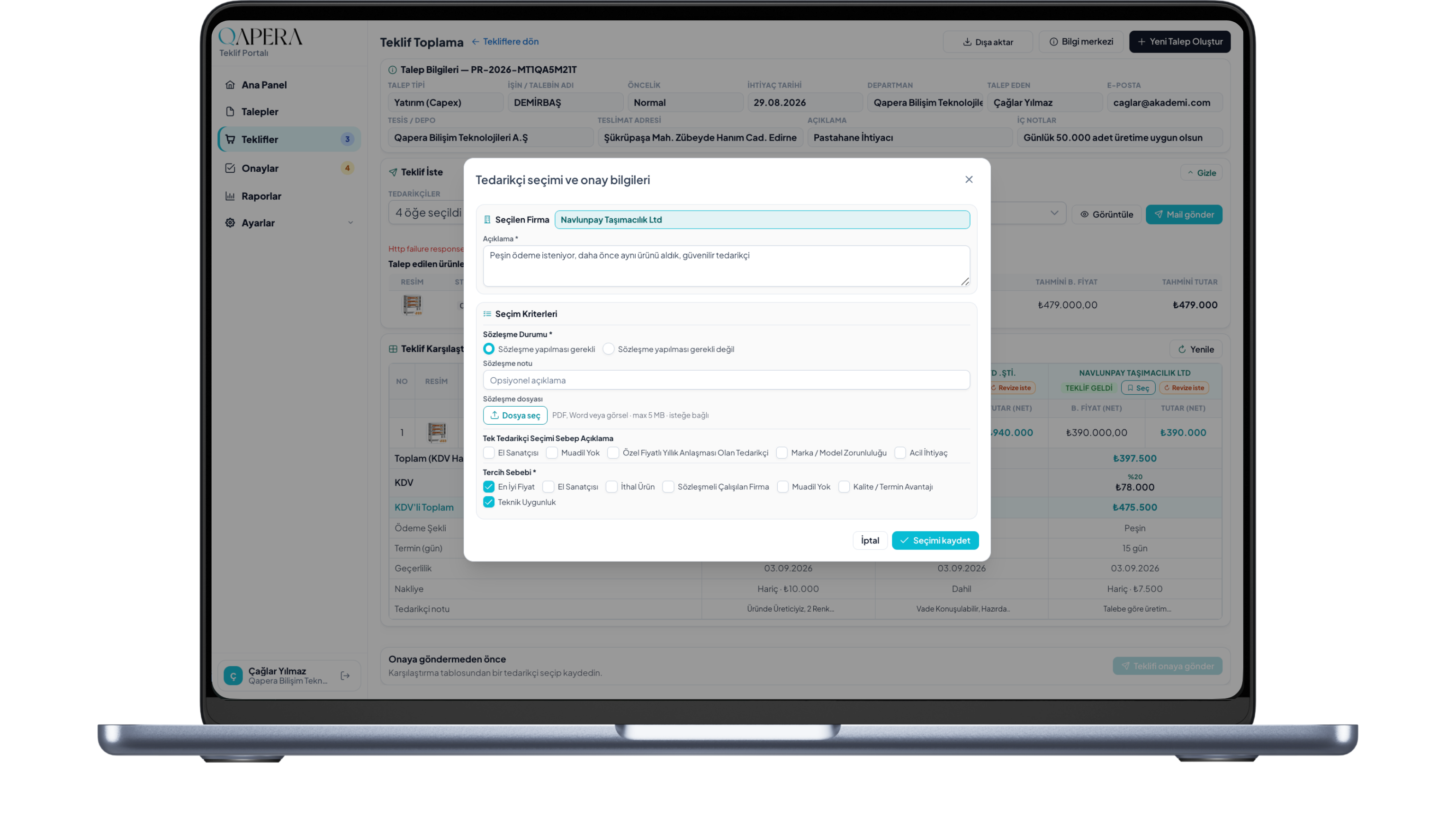
Pick the best quote, see supplier performance, send for approval
Purchasing reviews quotes side by side and compares supplier performance on price, payment terms, and lead time. You record the rationale and preference reasons (best price, technical fit, and more) — criteria are yours to customize, remove, or extend. After saving, the quote moves into approval. Qapera Purchasing Portal is built on AI: over time it learns your choices and supplier performance, then starts suggesting preferences.
Approval flow
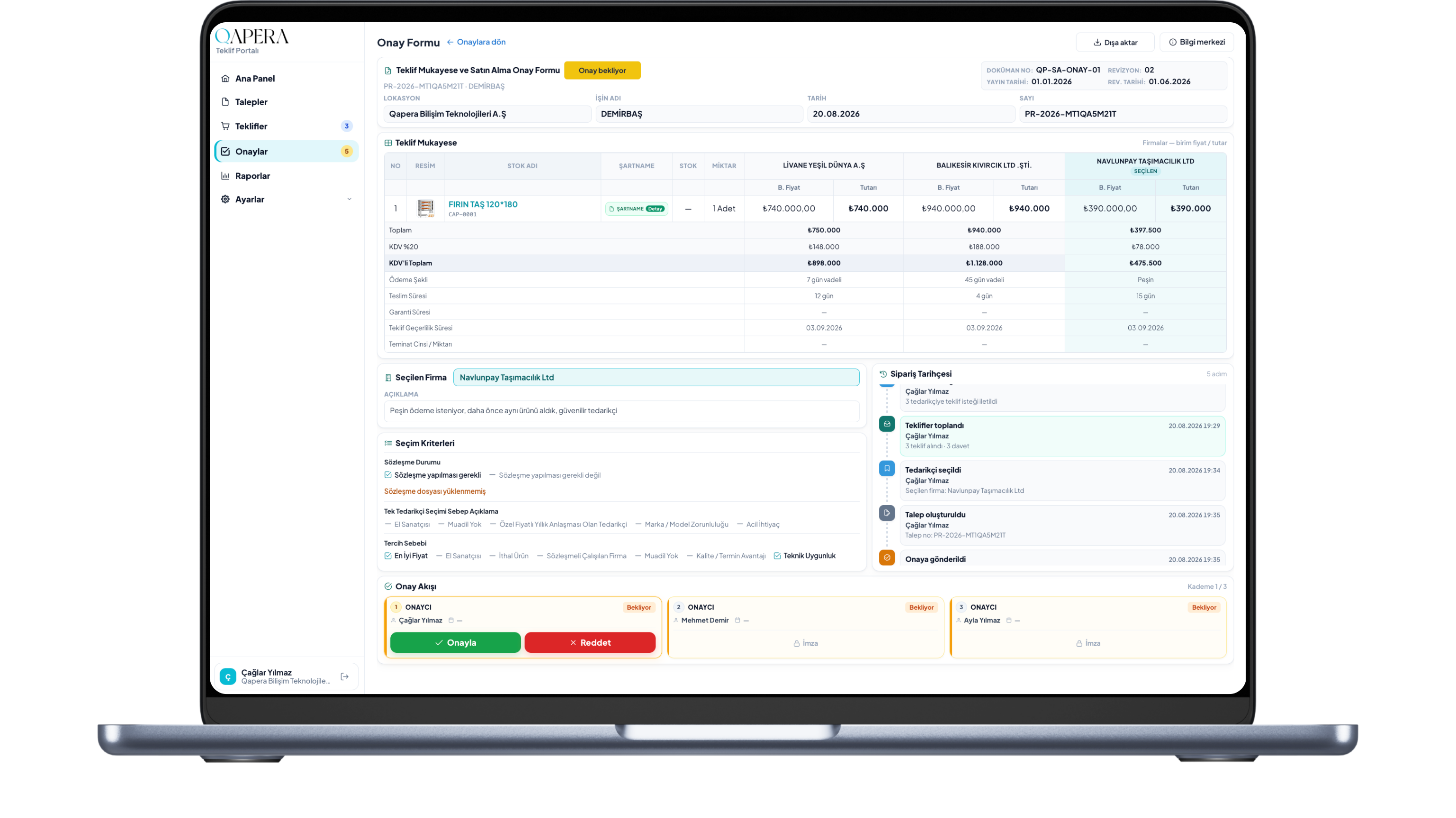
The selected quote enters the approval path you define
After purchasing selects a supplier, the quote goes to the people in your approval flow. That can be one person or ten — entirely your design. Set rules by location, department, or amount thresholds. Every stage is visible; approve or reject from one screen.
Manager panel
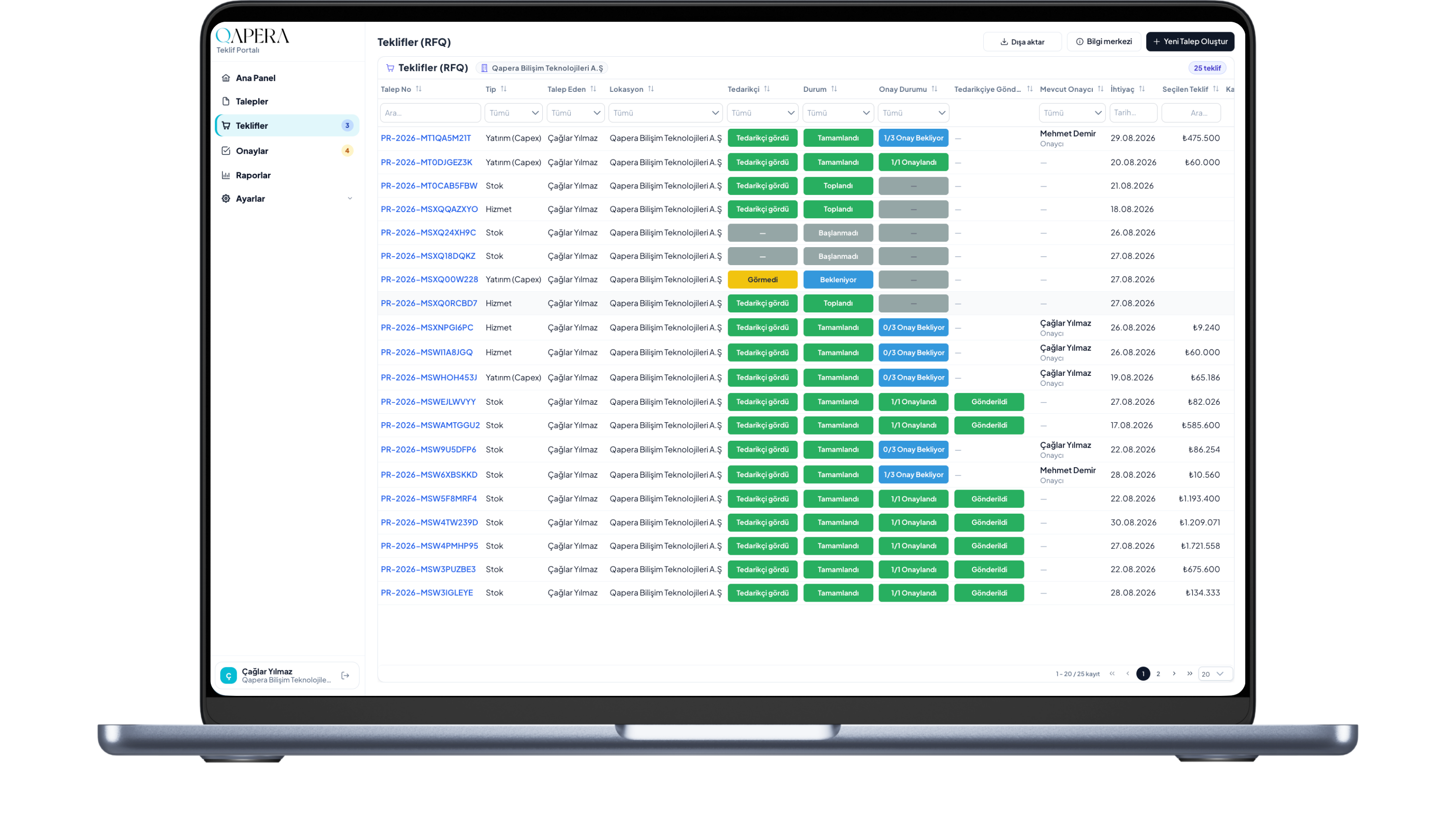
Approvals and rejections land on purchasing — no unauthorized access
Approved quotes appear on the purchasing manager’s panel. If an approver rejects, the quote returns with the reason: revise and resubmit, or cancel as a final rejection. Cancelled requests show the same reason to the requester’s department panel; optional email notification is available. Requests, quotes, and approvals in the left menu are permission-based — unauthorized users see nothing.
When you want, send approved quotes to your supplier in one click.
Process complete
Congratulations — you just ran request-to-order fully digital
Every conversation, approval, and action is on the record. “Who said what, when was it approved?” no longer disappears into inboxes. Purchasing becomes transparent, faster, and visible — not a trail of lost threads.
Your time matters
Quote collection shouldn’t take days — cut it to minutes
Teams burn hours chasing email, comparing spreadsheets, and waiting on approvals. Qapera Purchasing Portal simplifies the flow so your team focuses on choosing suppliers and making decisions.
The easiest way to double your time is to eliminate the unnecessary.
Frequently asked questions
Is Qapera Purchasing Portal free?
Yes. Completely free for food and restaurant purchasing teams — no license fee. Sign up: https://teklif.qapera.com/register
Who is it for?
Purchasing managers and procurement teams in restaurants, cafes, hotels, central kitchens, and food manufacturers.
How do I start?
Create a free membership at https://teklif.qapera.com/register and start immediately. Later sign-ins: https://teklif.qapera.com/login
What does it do?
End-to-end purchasing: collect department requests, send RFQs in one click (email, link, or WhatsApp), compare quotes side by side, analyze supplier performance, run multi-step approvals, and order from approved quotes — all digitally recorded.
How does the purchasing approval workflow work?
After purchasing selects a quote, it enters the approval path you define. That can be one person or several stages, with rules by location, department, or amount. Approve or reject from one screen.
Does it analyze supplier performance?
Yes. The portal analyzes supplier performance from quote history — price, payment terms, lead time, and selection rationale — so the purchasing department can see who is competitive and consistent.
Why food businesses?
Quote chasing by email and Excel costs days. Qapera shortens the cycle, clarifies price/terms/delivery, keeps approvals transparent — and it is free. How purchasing lifts menu profit: https://qapera.com/en/blog/purchasing-strategy-menu-profitability
Is there AI?
Yes. The Purchasing Portal is built on an AI foundation and aims to learn your selection habits to suggest preferences over time.
Is this the full Qapera ERP?
No. The Purchasing Portal is a free purchasing app. Full inventory and recipe costing is on https://qapera.com/en/pricing
Was it previously called Quote Portal / Quote Collection?
Yes. The product is now Qapera Purchasing Portal; quote collection is a feature. The URL is unchanged: https://qapera.com/en/modules/teklif-toplama
Is there a video on how purchasing lifts menu profit?
Yes. YouTube Shorts: https://www.youtube.com/shorts/eHclt8ois9c — article: https://qapera.com/en/blog/purchasing-strategy-menu-profitability — channel: https://www.youtube.com/@qapera